









With VPN
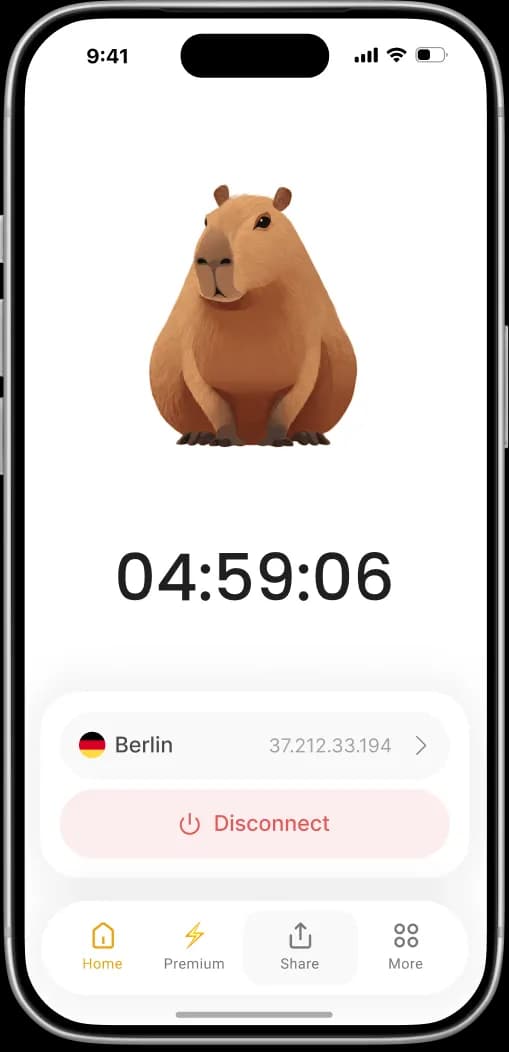
Your connection is encrypted and routed through a secure VPN server. Calm VPN hides your real IP address and adds an extra layer of privacy and security, so you can browse, stream, and use public Wi-Fi with greater peace of mind.
 Calm VPN
Access the open internet with ultrafast speed. Protect your privacy and stay secure online.

Military-grade encryption keeps your data safe. We don't track, store or share your data.
Optimized servers for streaming and gaming.
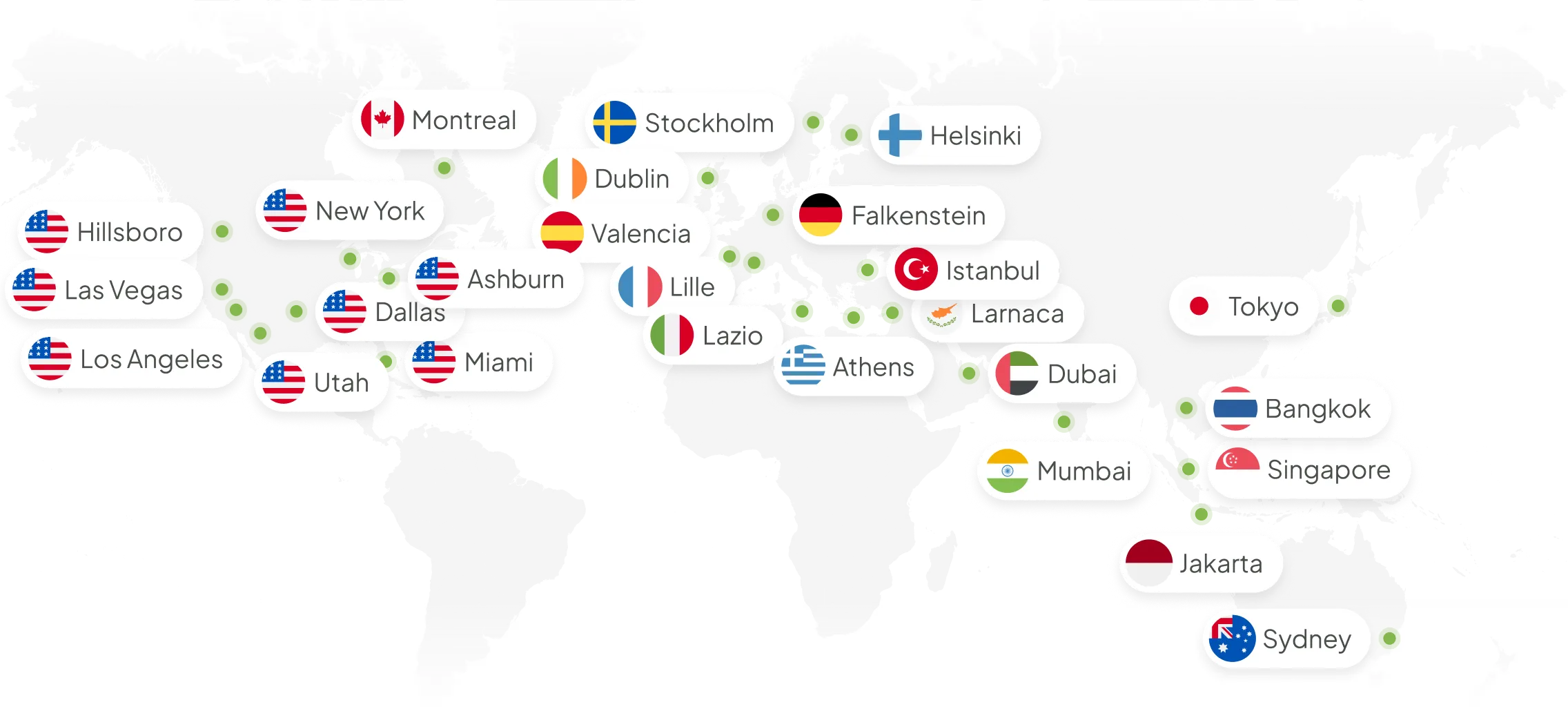
Connect to 100+ locations, use 30 app languages.
Use Google or Apple ID to get access to our service.
Keep your online activity private and your personal data protected whenever you connect to the internet.
Enjoy your favorite videos, shows, and content with fast, stable connections and smooth streaming.
Access the internet freely while traveling, using public Wi-Fi, or connecting from different locations around the world.
Add an extra layer of security to your everyday browsing, whether you're at home, at work, or on the go.

Download CalmVPN from the App Store and install it on your iPhone.
Open the app and complete the quick sign-in process. It only takes a few seconds.
Upgrade to Premium for unlimited VPN access and connect whenever you want.
Select the country and city you need, tap Connect, and enjoy a private and secure connection.
Get premium VPN protection with faster servers, unlimited access, and secure browsing — at a special discounted price.


Excellent VPN app with reliable performance and quick connections. I like how easy it is to switch between servers, and the strong privacy features give me extra confidence while browsing.
StCooper78The one-tap setup is simple, and I like knowing my browsing activity stays private. Especially when I'm traveling, this is something that gives me peace of mind.
Pet11NcWhat I appreciate most is the balance of speed and security. It connects quickly, switches servers smoothly, and works well for everyday browsing.
EdgarWilcThe interface is clean and beginner-friendly. I didn't need to read a guide or adjust settings, just open the app and connect, which was very convenient for my elderly parents.
Cat FelixThis app has become part of my routine whenever I'm on the move or using shared networks. It's a solid VPN with fast servers and a straightforward layout.
Moses5467Global coverage for a borderless internet. Our extensive server fleet ensures low-latency connections and unrestricted access to content from any region.
Global coverage for a borderless internet. Our extensive server fleet ensures low-latency connections and unrestricted access to content from any region.
Your connection is encrypted and routed through a secure VPN server. Calm VPN hides your real IP address and adds an extra layer of privacy and security, so you can browse, stream, and use public Wi-Fi with greater peace of mind.
Your connection goes directly to the internet. Your real IP address is visible, and your internet traffic is not protected by a VPN connection. This can make your online activity more exposed, especially when using public Wi-Fi.
Stay connected wherever you go with Calm VPN for iPhone.
Learn moreEnjoy a seamless VPN experience on your iPad.
Learn moreEnjoy a seamless VPN experience on your Mac.
Learn moreStay connected wherever you go with Calm VPN for Android.
Learn moreAll plans come with a 7-day money-back guarantee.
Billed weekly
Best Price
Billed yearly
Billed monthly
Yes, Calm VPN is free to use — you just watch short ads and can also tap to earn extra connection time by pressing the capybara
Any VPN can slightly reduce your speed because of encryption and routing, but Calm VPN is optimized to keep your connection fast and stable for everyday use
Calm VPN encrypts your traffic and hides your IP address, making public Wi‑Fi and everyday browsing much safer than without a VPN
Yes, you can log in with the same account on multiple devices and use Calm VPN there as well
When Calm VPN is connected, the app’s main screen shows your session timer, connected country, and your new IP address. In addition, a VPN icon appears at the top of your device’s screen, and the system settings show the connection status as “Connected.”
Download Calm VPN for ultra-fast speeds, strong privacy protection, and smooth browsing anytime.